Restricting Pod Priority Classes per Tenant#
Restricting allowed Pod PriorityClasses for tenant workloads#
Use the podPriorityClasses.allowed field in the Tenant CR to restrict which priority classes tenant workloads may use. This ensures that only approved priority classes are used so cluster QoS and scheduling policies remain predictable.
apiVersion: tenantoperator.stakater.com/v1beta3
kind: Tenant
metadata:
  name: tenant-sample
spec:
  # other fields
  podPriorityClasses:
    allowed:
      - high-priority
Behavior#
This field follows a secure-by-default model. Configuring this field enables both the filtering functionality and automatic RBAC configuration for PodPriorityClasses:
| Spec State | Behavior |
|---|---|
Field not specified (nil) |
Feature disabled - no RBAC is configured by the operator; it is left to the platform administrator to configure appropriate RBAC for PodPriorityClasses (if any) |
Empty struct {} or {allowed: []} |
Allow all - the operator automatically configures RBAC so that tenants can use any priority class in the cluster |
Specific values {allowed: ["high-priority"]} |
Only allow specified - the operator automatically configures RBAC so that tenants can only use the listed priority classes |
Note
The filtering functionality only works when the podPriorityClasses field is explicitly configured. Without it, the operator does not manage PodPriorityClass access for the tenant.
Tip
Tenant users can use the kubectl-tenant plugin to list the PodPriorityClasses available to them: kubectl tenant get priorityclasses <tenant-name>
Notes#
The operator will validate the priorityClassName field on workloads and controllers (Pods, Deployments, StatefulSets, ReplicaSets, Jobs, CronJobs, Daemonsets). The empty string ("") is treated as a valid priorityClass name — include "" in allowed if you want to permit resources that omit a priority class.
Example#
Allowed Pod (uses high-priority):
apiVersion: v1
kind: Pod
metadata:
  name: pod-allowed-pri
spec:
  priorityClassName: high-priority
  containers:
    - name: app
      image: nginx:1.23
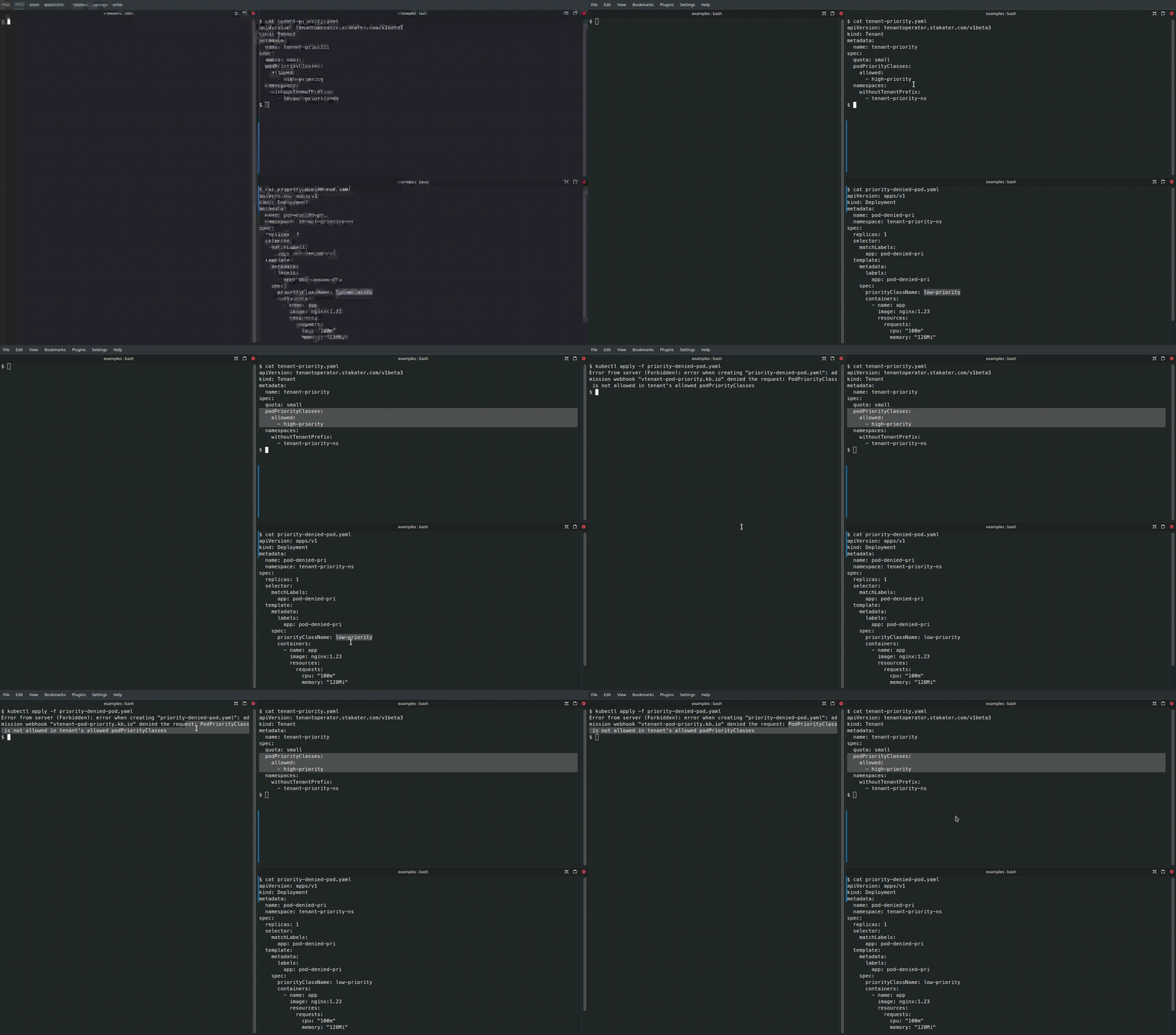
Denied Pod (uses a non-allowed priority class):
apiVersion: v1
kind: Pod
metadata:
  name: pod-denied-pri
spec:
  priorityClassName: low-priority
  containers:
    - name: app
      image: nginx:1.23
Validation Behavior#
- The first Pod will be accepted because
high-priorityis inpodPriorityClasses.allowed. - The second Pod will be rejected by the operator if
low-priorityis not present in the allow-list.
Demo#